
AARP Hearing Center














































Getty Images
A medical alert system, often referred to as a personal emergency response system, medical emergency response system, health monitor or fall monitor, can provide increased independence for loved ones and peace of mind for family caregivers — and maybe save a life. While most often associated with older adults, these devices can be equally valuable for people of any age living alone with disabilities, chronic illness or serious health conditions.
My partner, Bill, picked a medical alert system with a wearable pendant for his mother, Doris, who lived alone. She simply had to push a button for help. But because he was worried she would take off the pendant, “we had a system that included an automatic fall detection device in the bathroom, where she was most likely to take her pendant off,” Bill says.
More Ways to Benefit
- Related Benefit 1
- Related Benefit 2
- Related Benefit 3
- Related Benefit 4
- Related Benefit 5
Her system also had a hub with a speaker that allowed the call center to check in on her, and we also could call her that way.
A former fire captain with 33 years of experience with the Baltimore County Fire Department, Bill recommends that older adults or anyone with serious health conditions set up a medical alert device, especially if they live alone. “You don’t want to risk having a fall or sudden acute illness and be unable to get help,” he says.
“The last thing you want is for an older person to be on the floor for an extended period of time,” says Dr. Warren Wong, a geriatrician in Honolulu.
“Not only is it emotionally traumatic, but they could develop rhabdomyolysis, a life-threatening condition that occurs when muscle tissues break down and release their contents into the bloodstream,” he says. “It can happen when lying on the floor for as little as an hour.”
Types of devices and features
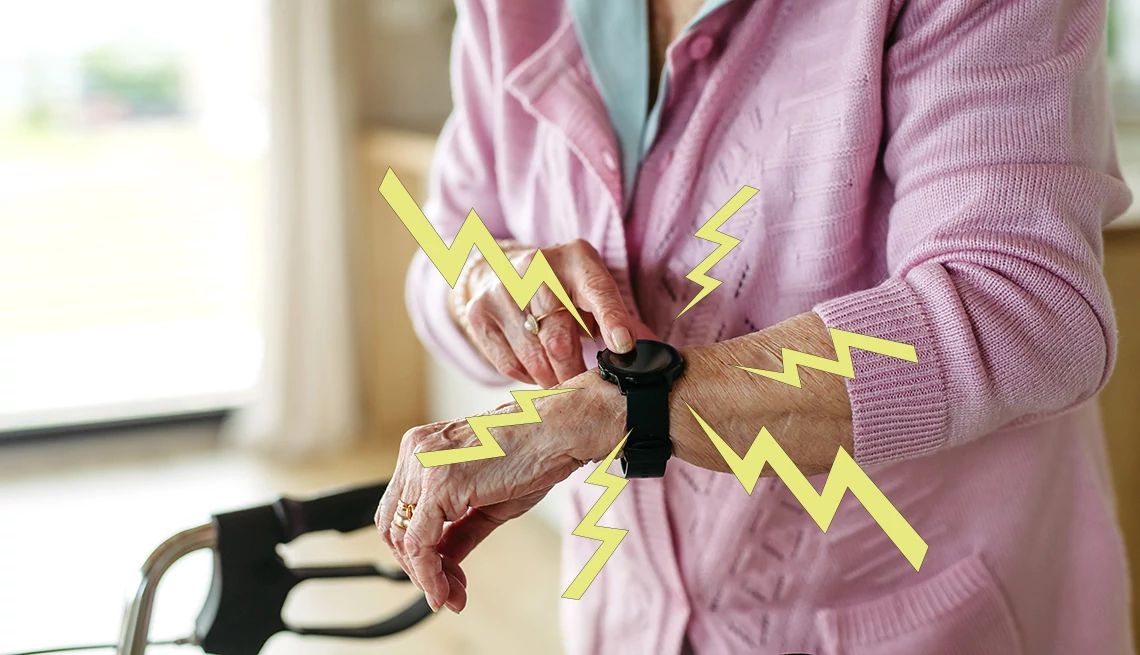
Wearable pendants and smartwatches may have automatic fall detection, GPS location detection and the ability to contact emergency services. Check out our top picks for the best medical alert systems, the best medical alert systems with fall detection, and the best medical alert watches for more information. Some offer remote patient-monitoring features such as tracking heart rate, blood oxygen levels, mobility and wellness. These devices, which people of all ages commonly wear, may be more appealing to loved ones who resist wearing a traditional medical alert pendant or other type of wearable.
Help buttons can be affixed to a table or wall in strategic places, such as the bathroom, where they can be pushed to call for help in an emergency.
Hubs connect to multiple devices, including pendants and help buttons. A hub may have two-way speakers to communicate with a call center or family members.
Smart speakers may be voice-prompted to make emergency calls or contact a center staffed with live agents.
Video cameras have visual remote monitoring of activities and whether someone is in distress.
Passive fall detection uses radar or infrared technology to detect falls and call for help without requiring the person to wear anything. These systems are generally mounted on the wall or ceiling (although some may be set on a table or counter) and work silently in the background around the clock. They can be helpful for those who don’t want to use a wearable device or as a backup alongside wearables.
Sensors detect activities in various rooms in the house. There are motion, door, bed occupancy and stove activity sensors.
Home security monitoring may integrate an alarm system; video doorbell; and fire, smoke and carbon monoxide detection.
In-car devices include GPS, vehicle emergency response systems, two-way communication and crash detection.
How do they call for help?
Monitored systems are connected to a call center where live agents can talk with your loved one, assess the emergency situation and contact designated family members or emergency services. This may be a feature in a wearable device, a smart speaker or a stationary hub.
Unmonitored systems, such as smart speakers, connect directly to 911 or designated contacts when activated.
Automatic fall detection doesn’t require a person to push a button for help. Instead, it detects a fall and automatically contacts the response center, family contact or emergency services.
What type of device is best?
Start by talking with your loved one’s doctor, occupational therapist and physical therapist about evaluating current and future needs. In addition to considering where and when your loved one is likely to need the device, consider:
- Which type of device will they be most likely to use or wear?
- Does your loved one stay home or go out in the community where GPS tracking would be helpful? Location tracking can also be very important for someone who has dementia and could get lost.
- Will they be able to communicate with a call center? Do they have aphasia or hearing loss? Is the speaker loud enough? Can volume be adjusted?
- How are their fine motor skills? Will putting on a device or pushing a button be too difficult?
- Is the device easy to figure out? Will charging and troubleshooting problems be easy for them?
14 questions to ask before buying
- Is it waterproof? Many falls occur in the bathroom and kitchen, so a design that works when wet is vital.
- Is it comfortable? For wearable devices, check for sharp edges or strap materials that may irritate fragile skin. Is it attractive or unobtrusive enough that your loved one will not feel it draws attention to their age or abilities?
- Are there hands-free and passive emergency SOS activations available? Or will they have to actively push a button, which may be impossible when injured or unconscious?
- How long do devices stay charged? Is there an alert when the battery is low? Will your loved one have to go long periods without the device while it charges? Does it have to be taken off at night when falls are more likely?
- What powers the hub? Is it plug-in or battery-operated? Does it have a battery backup in case of a power outage? Does it require a landline, and does it include cellular in case regular phone service is interrupted?
- Is the system privacy-protected and secure? How does the company prevent hackers from accessing the system, including video feeds?
- Who operates the response center? Does the company operate its own response center or contract with an external provider? Is the center certified by an organization such as UL Solutions? What’s the average response time? (It should be seconds.) Can the center communicate with your loved one in their preferred language?
- What if there are problems? Will family members be notified if there are problems with the system or if their loved one needs help?
- Does it have customer service? It’s best when a live person can talk with your loved one or you 24/7. Will the company provide assistance to set up and test the system?
- How are false alarms handled? It’s not uncommon for people to push the help button accidentally. Is there a negative consequence if they do? Unlimited false alarms are a great feature.
- What is the cancellation policy? Look for a free trial period or the ability to cancel for any reason with no penalties — either temporarily (because of hospitalization, for instance) or permanently if you move. Not all medical alert providers offer nationwide service.
- Is the company reputable? Check customer complaints and ratings on review sites such as the Better Business Bureau.
- What do systems cost? Ask for a full breakdown of fees. Monitored systems charge monthly service fees. Equipment costs could be a one-time charge or included in your monthly service fee. Beware of extra charges such as activation or membership fees. For smartwatches, some features may be included at no extra cost, while others require downloading an app. (Some apps may charge a monthly fee.)
- Does it have a caregiver companion app? Many medical alert systems now offer companion apps that allow family caregivers to receive emergency alerts, check device battery status, view GPS location history and confirm whether the device is being worn.

Possible ways to save money
Discounts. Veterans should talk to their primary care provider to see if they are eligible for a device through the U.S. Department of Veterans Affairs. There might be special deals available through membership organizations, Area Agencies on Aging, hospitals or other health care organizations. Some companies offer reduced prices or sliding fees for people with lower incomes. Others offer discounts if you pay quarterly or annually.
Tax deductions. If a doctor has recommended it, your system might be considered a medically necessary expense.
How can I find medical alert systems?
- Get referrals. In addition to asking family and friends, ask a caregiver support group. Members of AARP’s Family Caregivers Discussion Group on Facebook, which I moderate, often have advice.
- Ask your insurance company for a list of preferred providers.
- Contact your local Area Agency on Aging. It may have a list of companies in your area on Eldercare Locator.
Once you’ve picked a device, make sure your loved one is comfortable using it. Listen to their feedback. Assist them with any difficulties they are having.
Monitor any false alarms your loved one is experiencing and consider changes to prevent them. Don’t hesitate to switch to another service if it isn’t a good fit. It could save a life.
This story, originally published in 2017, has been updated by the writer and information about new types of devices has been added.

AARP Membership
Join AARP for only $15 per year with automatic renewal. Get instant access to members-only products and hundreds of benefits, a free second membership, and a subscription to AARP The Magazine.
More From AARP
Medical Breakthroughs That Could Impact Aging
Advances that aim to keep us healthier, longerHow to Be a Caregiver for Someone With COPD
Care for a COPD patient at home and improve their quality of lifePalliative Care: What Caregivers Should Know
Learn what palliative care is and what teams can do for patients